Never get caught with an expired certificate again.
Jamdocs keeps your vehicle registration, fitness and insurance certificates and your driver’s licence on your phone, shows what is valid at a glance, and reminds you before anything runs out.
Free · No account · Works offline · How it works

All your vehicle papers, sorted.
Stop digging through WhatsApp chats and glove compartments. Jamdocs puts every certificate for every vehicle, and your licence, in one place.
See everything at a glance
Every vehicle shows its registration, fitness and insurance as valid, expiring soon, expired or missing, so you know what needs attention without opening a single PDF.
Reminders before it runs out
Pick when you want to hear about it, from 90 days to the day before, and at what time. You also get one on the expiry day and a week after. Tap “Remind me tomorrow” when you can’t deal with it yet, or “Open” to go straight to the document.
Reads your certificates for you
Add a vehicle from its registration certificate and Jamdocs fills in the plate, make, model, year and chassis number. Fitness and insurance dates are read the same way.
Share it in, or import a folder
Share PDFs or photos of certificates from WhatsApp, Gallery or Files, or point Jamdocs at a folder. It sorts out which vehicle and which document each one is.
Your driver’s licence too
Hold your licence up to the camera and Jamdocs photographs it by itself, front and back. It reads the expiry date for reminders and your first name to greet you, nothing more.
Ready if there’s an accident
Long-press a vehicle to show your licence, insurance and registration on screen, full brightness, or share them as one PDF with the other driver.
Locked with your fingerprint
Turn on the app lock and Jamdocs asks for your fingerprint, face or PIN when it opens and before anything is shared. Screens are hidden from screenshots too.
Works with no signal
Open any certificate on the roadside, even with no data. Keep the history of past renewals, back everything up to a file, print a list of upcoming expiry dates, and switch to dark mode at night.
Built for the way you actually renew.
Real screens from the app, with made-up vehicles.
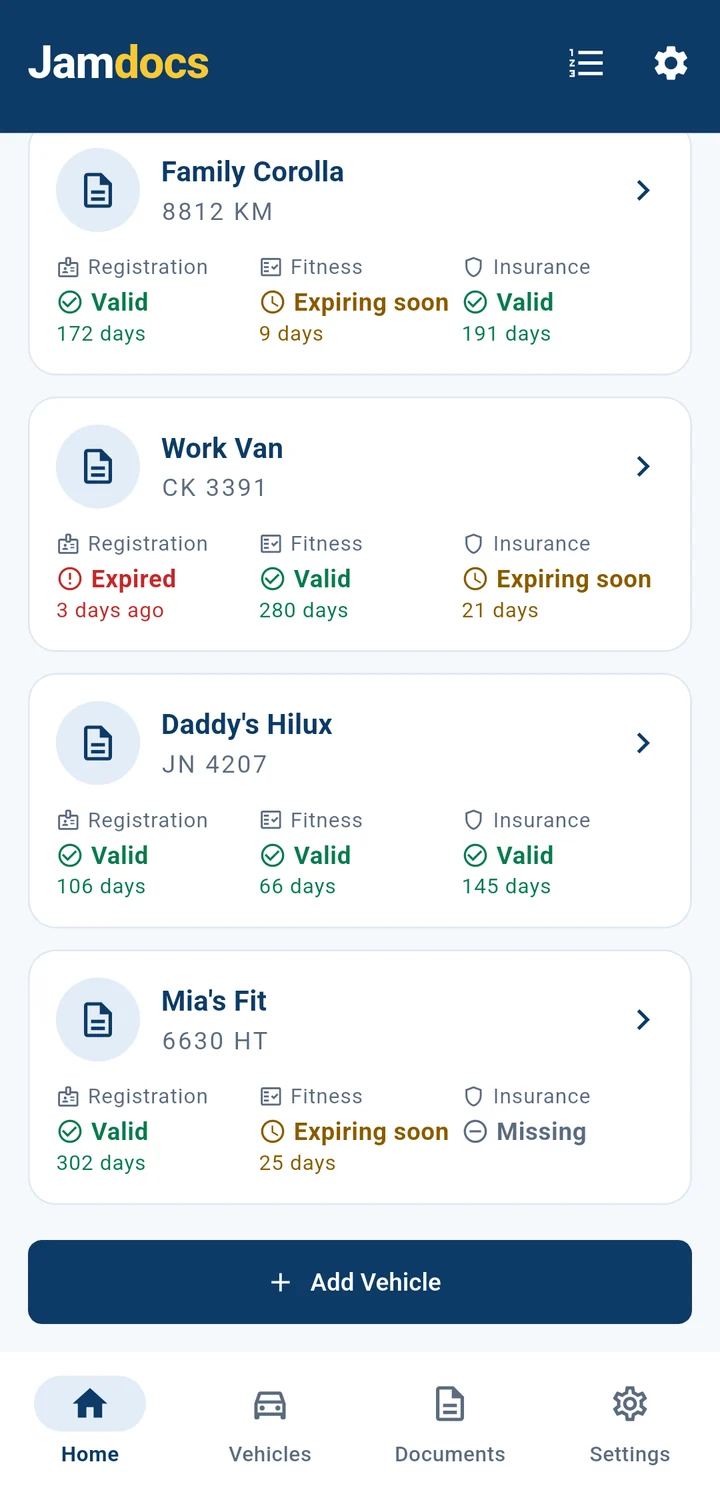
Every vehicle, one glance
Registration, fitness and insurance for each vehicle, with the days left.
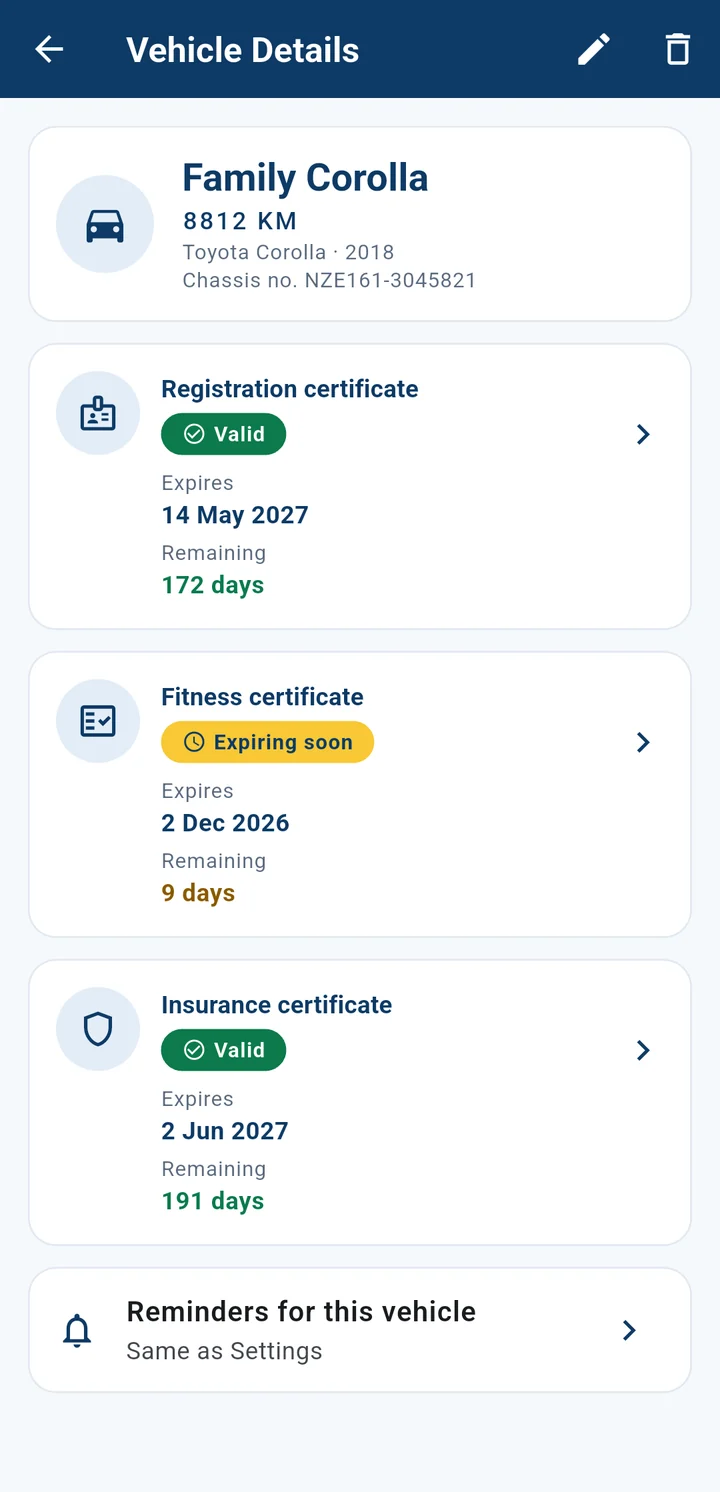
All the details
Plate, make, model and chassis number read from the registration certificate.
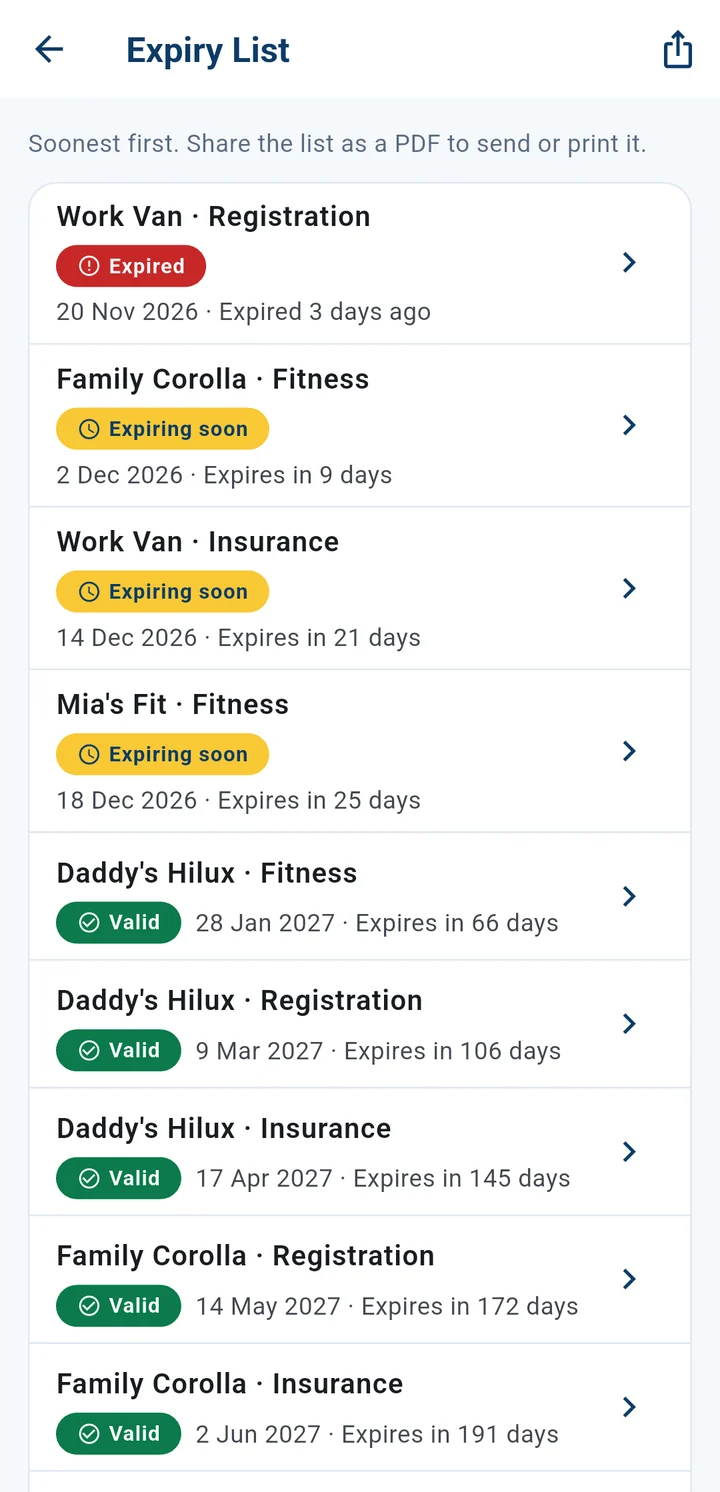
What’s due next
Every date in one list, soonest first. Share it as a PDF to print or send.


Set up in three steps.
- 1
Get your certificate
Download your registration or fitness certificate as a PDF from the official government site. Insurance certificates come from your insurer.
- 2
Add it to Jamdocs
Share the PDF or a photo to Jamdocs, or pick it in the app. The details and expiry date are read on your phone and checked with you.
- 3
Relax until renewal
Jamdocs reminds you before each document expires, with a link to the official site to get the new one. When you renew, add it and the old one moves to its history.
Your documents never leave your phone.
Jamdocs was built to work entirely on your phone. Certificates are read on the device, stored in the app’s private storage, and only leave it when you choose to share them.
- No account to create and nothing to sign in to.
- No internet permission: the app cannot send your data anywhere.
- No ads, no analytics and no tracking.
- Documents stay in the app’s private storage on your phone.
Keep every vehicle legal, without the stress.
Free on Android, with iPhone on the way. Set it up in minutes with the certificates you already have.